Rooftop Unit Installation: Preventative Maintenance

Rooftop Unit Installation: Preventative Maintenance

Rooftop Unit Installation: Preventative Maintenance

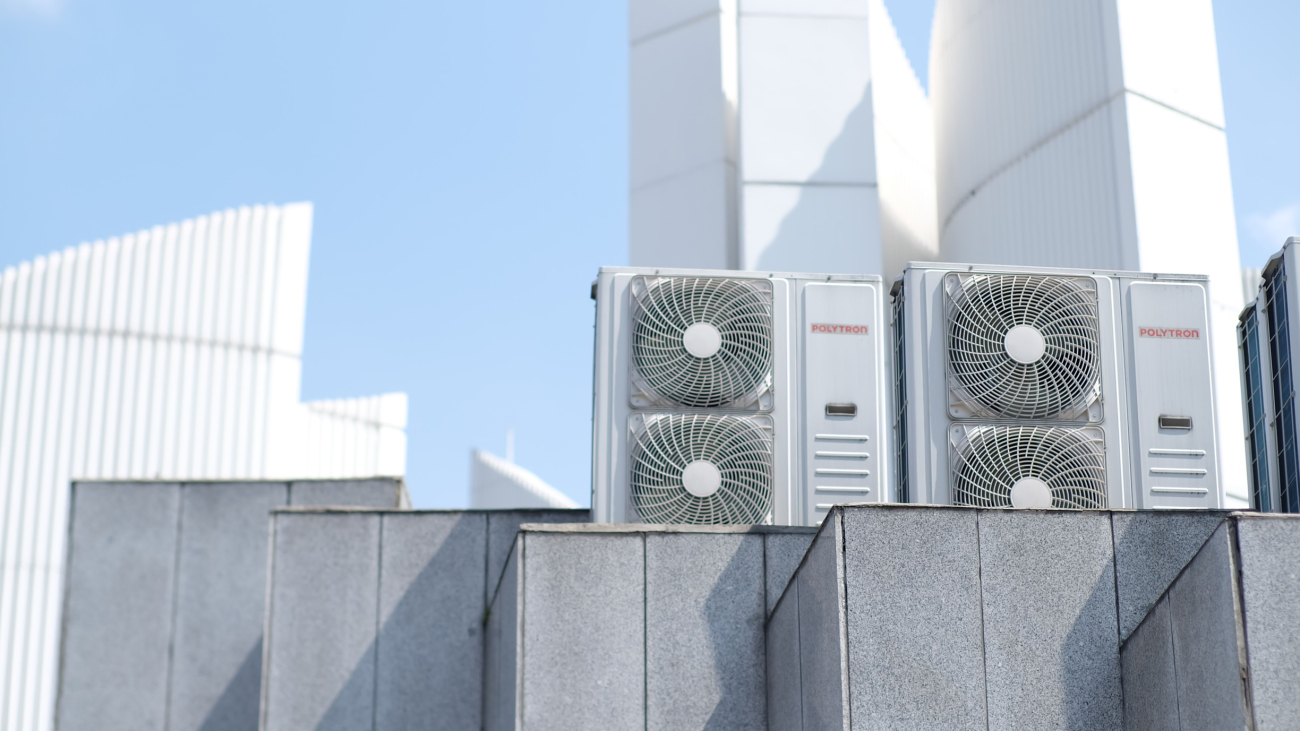
Rooftop units provide efficient heating, cooling, and ventilation for many commercial buildings. However, proper maintenance remains essential after installation. Regular preventative maintenance keeps these systems reliable, efficient, and safe.

Understanding Rooftop Unit Maintenance

Rooftop unit maintenance involves regular inspections, cleaning, testing, and component replacement. Therefore, property owners should establish a consistent maintenance schedule after installation.

Technicians can identify developing problems before they become expensive repairs. Additionally, regular servicing helps maintain comfortable indoor temperatures throughout the year.

Inspect the Rooftop Unit Regularly

Routine inspections should begin with the unit’s overall condition. Technicians should check panels, fasteners, electrical connections, and visible components.

Furthermore, they should inspect the unit for corrosion, leaks, unusual sounds, or physical damage. Early detection can prevent minor issues from becoming major failures.

Clean or Replace Air Filters

Dirty filters restrict airflow and force rooftop systems to work harder. Consequently, the system may consume more energy while providing weaker performance.

Technicians should inspect filters during scheduled maintenance visits. Replace heavily contaminated filters according to manufacturer recommendations.

Additionally, businesses with dusty environments may require more frequent filter replacement.

Check Coils and Condensers

Dirty evaporator and condenser coils can reduce heat transfer efficiency. Therefore, technicians should inspect and clean coils regularly.

Removing dirt, dust, and debris allows the system to transfer heat effectively. Moreover, clean coils can support better cooling performance and reduce unnecessary strain.

Inspect Electrical Components

Electrical problems can cause unexpected equipment failures and safety concerns. Technicians should inspect wiring, terminals, contactors, capacitors, and electrical connections.

Loose connections should receive immediate attention. Likewise, damaged wiring should be repaired or replaced by qualified professionals.

Examine Belts and Motors

Many rooftop units use belts and motors to operate fans. Over time, belts can loosen, crack, or wear out.

Therefore, technicians should inspect belt tension and condition during maintenance. They should also lubricate applicable components according to manufacturer instructions.

Proper adjustment helps maintain reliable airflow and efficient operation.

Check Refrigerant Levels

Refrigerant plays an important role in air conditioning performance. Low refrigerant levels can indicate leaks or other system problems.

Technicians should check system performance and refrigerant conditions during scheduled inspections. However, refrigerant handling should only be performed by appropriately qualified professionals.

Clean Drainage Systems

Condensate drains can become blocked by dirt, algae, and debris. Consequently, blocked drains can cause water accumulation around the rooftop unit.

Technicians should inspect drain pans and condensate lines regularly. They should also clear blockages before they create larger problems.

Inspect Ductwork and Connections

Damaged ductwork can reduce airflow and increase energy consumption. Therefore, maintenance teams should inspect ducts, seals, connections, and insulation.

They should repair visible gaps or damaged insulation promptly. Properly sealed ductwork helps distribute conditioned air more effectively.

Test Safety Controls

Rooftop units contain several safety and operational controls. These controls help protect equipment and occupants during operation.

Technicians should test applicable safety switches, thermostats, sensors, and control systems. Additionally, they should verify that the unit responds correctly to control signals.

Monitor System Performance

Performance monitoring provides valuable information about rooftop equipment. Technicians can compare operating conditions against expected performance levels.

Unusual temperature readings, pressure changes, or energy consumption can indicate developing problems. Consequently, monitoring helps teams schedule repairs before breakdowns occur.

Create a Preventative Maintenance Schedule

A written maintenance schedule makes rooftop unit servicing easier to manage. It should include inspection dates, completed tasks, identified problems, and recommended repairs.

Furthermore, maintenance records can help technicians understand recurring issues. Property managers can then make better decisions about repairs and replacement.

Keep the Rooftop Area Clear

Debris around rooftop equipment can restrict airflow and create maintenance problems. Leaves, branches, rubbish, and other materials should remain away from the unit.

Additionally, technicians need safe access around the equipment. Keeping the surrounding area clear supports safer and more efficient maintenance.

Use Qualified HVAC Professionals

Rooftop equipment requires specialised knowledge and appropriate safety procedures. Therefore, businesses should use qualified HVAC professionals for technical maintenance.

Experienced technicians can identify problems that routine visual inspections might miss. They can also follow manufacturer requirements during servicing.

Replace Worn Components Promptly

Preventative maintenance works best when technicians address problems early. Worn belts, filters, electrical components, and other parts should receive timely attention.

Delaying repairs can increase operating costs and potentially cause equipment failure. Consequently, prompt component replacement supports long-term system reliability.

Follow Manufacturer Recommendations

Every rooftop unit has specific maintenance requirements. Therefore, technicians should follow the manufacturer’s service instructions whenever possible.

These recommendations may cover inspection intervals, replacement parts, lubrication, and operating conditions. Following them can also help preserve equipment performance.

Benefits of Preventative Rooftop Unit Maintenance

Regular maintenance can provide several practical benefits for commercial properties. These include improved efficiency, reliable operation, better comfort, and fewer unexpected breakdowns.

Moreover, preventative servicing can extend equipment life when performed consistently. Businesses can also identify repair needs before they develop into larger expenses.

Final Thoughts

Rooftop unit installation represents an important investment for commercial properties. However, proper preventative maintenance protects that investment over time.

Regular inspections, cleaning, testing, and timely repairs keep equipment operating effectively. Therefore, businesses should establish a maintenance programme immediately after installation.

With consistent professional care, rooftop units can provide dependable heating and cooling performance for years.
Rooftop Unit Installation Texas

RTU (Rooftop Unit) Installation & Service: Expert Solutions for Reliable Comfort

Rooftop Unit Installation Texas

Rooftop units keep commercial buildings comfortable all year. However, they only perform well when installed and maintained properly. This guide explains what professional RTU installation and service involve. Moreover, it shows how the right care protects your investment.

What Is a Rooftop Unit (RTU)?

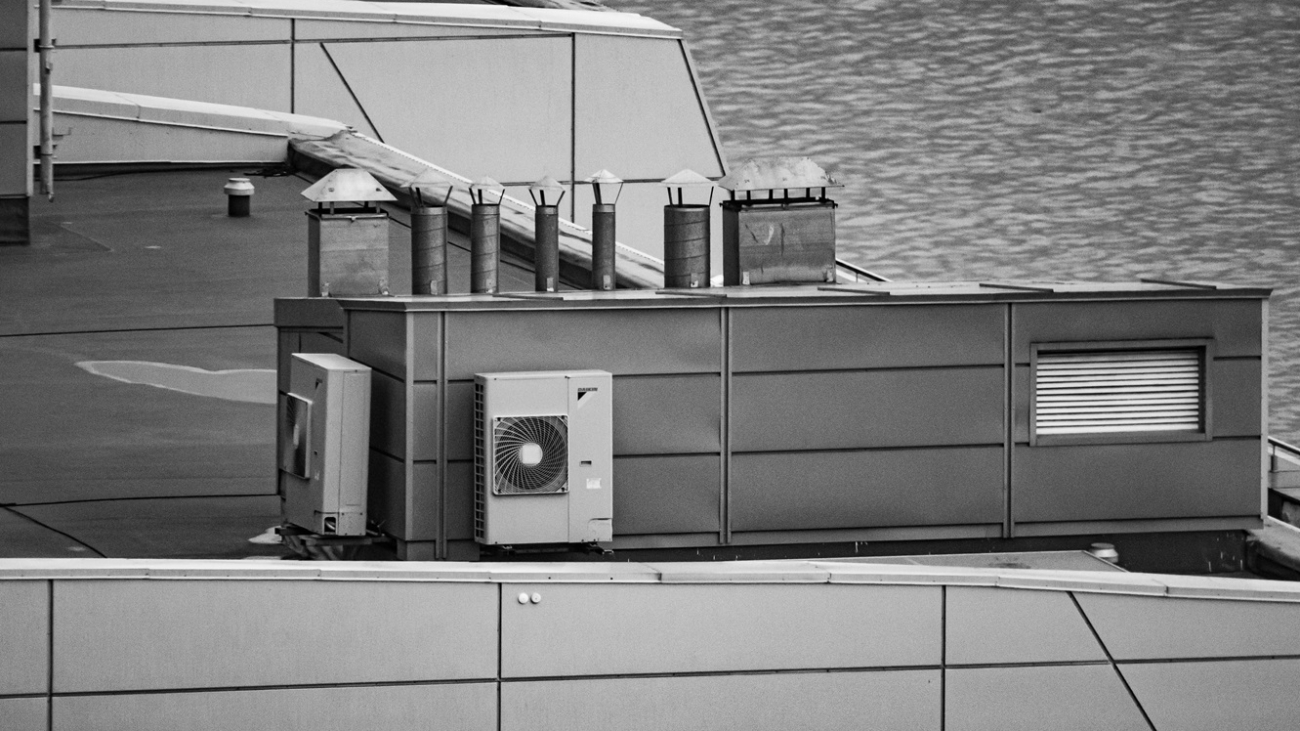
A rooftop unit is a self-contained heating and cooling system. Contractors mount it on the roof, so it saves valuable indoor space. Additionally, it connects to ductwork that delivers conditioned air throughout the building.

Restaurants, offices, schools, and retail stores rely on RTUs. Warehouses and clinics use them as well. Consequently, a dependable unit supports both productivity and customer satisfaction.

Why Professional RTU Installation Matters

Proper installation determines how long your system lasts. A poorly installed unit wastes energy and fails early. Therefore, you should always hire certified technicians.

Professional installers follow a proven process. First, they assess your building’s heating and cooling load. Next, they select a correctly sized unit. Then, they plan the placement for airflow and easy access.

Oversized units cycle on and off too often. Undersized units run constantly and never keep up. In contrast, a right-sized unit delivers steady comfort at lower cost.

Key Steps in a Quality RTU Installation

A skilled team handles every stage with care. The typical process includes these steps:

  • Site inspection: Technicians check roof strength, access, and existing ductwork.
  • Load calculation: Experts measure the space to match capacity to demand.
  • Curb and roof work: Crews install a sealed curb to prevent leaks.
  • Crane lift and placement: Specialists position the unit safely and precisely.
  • Electrical and gas connections: Licensed staff wire and connect every line.
  • Testing and commissioning: Technicians verify airflow, pressure, and temperature.

As a result, you get a system that meets code and performs at its best.

Benefits of Regular RTU Service and Maintenance

Routine service prevents costly breakdowns. Furthermore, it extends equipment life by several years. Most manufacturers also require maintenance to keep warranties valid.

A well-maintained unit runs efficiently. Consequently, your energy bills drop. Clean components also improve indoor air quality. Employees and customers breathe easier as a result.

What a Typical RTU Service Visit Covers

Technicians follow a detailed checklist during each visit. They usually perform these tasks:

  • Replace or clean air filters
  • Inspect and clean evaporator and condenser coils
  • Check refrigerant levels and look for leaks
  • Test thermostats and control settings
  • Lubricate motors and inspect belts
  • Examine electrical connections and capacitors
  • Clear condensate drains
  • Inspect heat exchangers and burners

Each task catches small problems early. Otherwise, minor issues grow into expensive repairs.

Common RTU Problems and Warning Signs

Rooftop units often show symptoms before they fail. Watch for these warning signs:

  • Weak airflow from vents
  • Uneven temperatures across rooms
  • Strange noises, such as grinding or squealing
  • Frequent cycling or short runs
  • Rising energy bills without a clear cause
  • Water pooling around the unit

Do not ignore these signals. Instead, call a qualified technician right away. Quick action limits damage and downtime.

RTU Repair vs. Replacement: Which Is Smarter?

Every unit eventually reaches the end of its life. Most RTUs last 15 to 20 years with good care. However, frequent repairs signal a bigger problem.

Consider replacement when repair costs approach half the price of a new unit. Likewise, consider it when the unit uses outdated refrigerant. Modern systems also offer better efficiency. Therefore, an upgrade often pays for itself through lower utility costs.

Tips for Choosing the Right RTU Contractor

Your contractor affects the quality of the work. Choose carefully by following these tips:

  • Verify licenses and insurance: Certified professionals protect you from liability.
  • Check experience: Look for a strong record with commercial systems.
  • Read reviews: Past clients reveal how a company really performs.
  • Ask about maintenance plans: Scheduled service saves money over time.
  • Confirm emergency support: Breakdowns rarely happen at convenient hours.

In addition, request a clear written estimate. Transparent pricing builds trust from the start.

Boost Efficiency With a Preventive Maintenance Plan

A preventive maintenance plan keeps your system on schedule. Technicians visit quarterly or twice a year. Meanwhile, you avoid surprise failures during peak seasons.

These plans also give you priority scheduling. Moreover, they create service records that support warranty claims. Overall, planned care costs far less than emergency repairs.

Energy Efficiency and Modern RTU Upgrades

Today’s rooftop units offer impressive efficiency features. Variable-speed fans adjust output to match demand. Smart thermostats and controls also cut waste. In addition, economizers use cool outdoor air to reduce cooling costs.

Many building owners see quick returns from these upgrades. Furthermore, some regions offer rebates for high-efficiency equipment. Ask your contractor about available incentives.

Get Reliable RTU Installation & Service Today

Your rooftop unit deserves expert attention. Professional installation ensures a strong start. Regular service then protects performance for years. Together, they lower costs and reduce stress.

Do not wait for a breakdown to act. Contact Romech Services today. Schedule an inspection, request a quote, or start a maintenance plan. Your building, your staff, and your customers will all benefit.

Coolant Distribution Unit Texas

Do I Need a CDU for My Data Center Cooling System?

Modern data centers generate significant amounts of heat.
Therefore, efficient cooling remains essential for reliable operations.

As server density increases, traditional cooling systems may struggle.
Consequently, many facilities are considering Coolant Distribution Units (CDUs).

But does every data center need a CDU?
The answer depends on your cooling requirements, equipment, and future plans.

What Is a Coolant Distribution Unit?

A Coolant Distribution Unit manages liquid cooling within a data center.
It transfers heat from IT equipment to a facility cooling system.

Typically, the CDU separates the technology coolant from facility water.
It also controls temperature, pressure, and coolant flow.

As a result, CDUs support stable and controlled liquid cooling environments.

When Does a Data Center Need a CDU?

You may need a CDU when servers produce substantial heat loads.
This situation often occurs in high-density computing environments.

For example, artificial intelligence workloads require considerable cooling capacity.
Likewise, high-performance computing can create intense thermal demands.

In these environments, air cooling may become less practical.
Therefore, liquid cooling can provide a more efficient alternative.

High-Density Servers and Liquid Cooling

High-density servers concentrate more computing power within smaller spaces.
Consequently, they produce more heat per rack.

Traditional air cooling may struggle to remove this heat efficiently.
Liquid cooling can instead transfer heat directly from components.

Therefore, a CDU becomes valuable in many high-density installations.

Do Traditional Data Centers Need a CDU?

Not necessarily.

Many conventional data centers still operate effectively with air cooling.
Their cooling requirements may not justify liquid cooling infrastructure.

However, future equipment upgrades could change those requirements.
Therefore, facility managers should consider both current and projected workloads.

Key Benefits of Using a CDU

A CDU provides several advantages for liquid-cooled data centers.

First, it helps regulate coolant temperature and flow.
Second, it separates facility water from sensitive IT cooling loops.

Additionally, CDUs can support higher rack cooling densities.
They also provide greater control over cooling performance.

Furthermore, liquid cooling can improve thermal management for demanding workloads.

How to Know If Your Facility Needs One

Start by evaluating your current rack power density.
Next, examine your servers’ cooling requirements and thermal specifications.

Also, review your planned hardware upgrades.
This step matters because newer systems can generate significantly more heat.

Furthermore, assess your existing chilled-water and cooling infrastructure.
Your facility may require upgrades before implementing liquid cooling.

CDU vs Traditional Air Cooling

Air cooling remains suitable for many standard data center applications.
It uses fans, air handlers, and other conventional cooling equipment.

However, liquid cooling handles concentrated heat more directly.
Therefore, it can support higher-density computing environments.

A CDU becomes particularly useful when direct liquid cooling enters the design.

What About Direct-to-Chip Cooling?

Direct-to-chip cooling places coolant close to heat-generating components.
This approach can significantly improve heat transfer efficiency.

However, the system needs reliable coolant management.
That is where a CDU can play an important role.

It controls the coolant circuit between facility infrastructure and IT equipment.

Consider Your Future Data Center Requirements

Data center cooling decisions should consider future expansion.
Your current cooling system may work well today.

Nevertheless, upcoming AI and high-performance computing deployments could change requirements.
Therefore, planning for higher densities can prevent expensive modifications later.

Is a CDU Worth the Investment?

A CDU can represent a significant infrastructure investment.
However, the value depends on your operational requirements.

If your facility supports high-density liquid-cooled equipment, it may be essential.
Conversely, standard workloads may not require this additional infrastructure.

Therefore, evaluate cooling demand before committing to a CDU installation.

Final Thoughts

So, do you need a CDU for your data center cooling system?

The answer depends primarily on your equipment and cooling strategy.
Standard workloads may continue using traditional air cooling successfully.

However, high-density and liquid-cooled environments can benefit significantly from CDUs.
Moreover, future computing demands may make liquid cooling increasingly important.

Before making a decision, evaluate rack density, heat loads, infrastructure, and expansion plans.
Then, select a cooling architecture that matches your technical and operational requirements.

Coolant Distribution Unit Texas
Coolant Distribution Unit

What is a Coolant Distribution Unit (CDU) and How Does It Work?

Coolant Distribution Unit

Modern data centres generate enormous amounts of heat. Therefore, efficient cooling has become essential for reliable operations. A Coolant Distribution Unit (CDU) provides an effective solution for managing this heat.

CDUs support liquid cooling systems in high-density computing environments. They distribute coolant between facility cooling systems and IT equipment. As a result, they help maintain safe operating temperatures.

What Is a Coolant Distribution Unit?

A Coolant Distribution Unit is a specialised cooling system component. It manages the circulation of liquid coolant within a data centre.

Typically, a CDU separates the facility cooling loop from the equipment cooling loop. This separation protects sensitive computing equipment from facility-side conditions.

Moreover, the unit controls coolant temperature, pressure, flow rate, and cleanliness. Consequently, servers can receive cooling that matches their operating requirements.

CDUs commonly support direct-to-chip and other liquid cooling technologies. These technologies suit high-performance computing and artificial intelligence workloads.

Why Are CDUs Important?

Traditional air cooling becomes less efficient as computing density increases. High-performance processors can generate substantial amounts of heat.

Therefore, data centres increasingly use liquid cooling for demanding workloads. Liquid transfers heat more efficiently than air in many applications.

A CDU helps make this process controlled and reliable. It also supports consistent cooling across multiple computing systems.

Furthermore, CDUs can improve cooling efficiency and operational flexibility. They allow facilities to manage increasing thermal loads more effectively.

How Does a Coolant Distribution Unit Work?

A CDU operates by circulating coolant between two separate loops. The first loop connects with the facility cooling infrastructure.

The second loop connects directly with IT equipment. This arrangement keeps facility water separate from equipment coolant.

First, warm coolant leaves the servers or cooling plates. The CDU receives this heated fluid through the equipment loop.

Next, a heat exchanger transfers heat into the facility-side cooling loop. The cooled equipment coolant then returns to the servers.

Meanwhile, pumps maintain the required coolant flow and pressure. Sensors continuously monitor important operating conditions.

Finally, the CDU adjusts system performance when conditions change. This process provides continuous and controlled thermal management.

Key Components of a CDU

A typical CDU contains several important components. Each component performs a specific role within the cooling process.

Heat Exchanger

The heat exchanger transfers thermal energy between separate coolant loops. However, it keeps the fluids physically separated.

Pumps

Pumps circulate coolant throughout the equipment cooling loop. They maintain adequate flow for effective heat removal.

Control System

The control system monitors temperature, pressure, and flow conditions. It can also adjust pump performance automatically.

Filters

Filters remove particles and contaminants from the coolant. Therefore, they help protect cooling plates and other components.

Sensors

Sensors provide real-time information about system conditions. Operators can use this data to identify potential problems quickly.

Types of Coolant Distribution Units

CDUs come in different designs for different cooling requirements. Their configurations depend on capacity, installation, and application.

Rack-level CDUs typically serve individual server racks. They work well for smaller high-density deployments.

Row-level CDUs support multiple racks within a data centre row. Consequently, they can provide greater cooling capacity.

Centralised CDUs can serve larger groups of computing equipment. These systems often suit large-scale data centre environments.

Additionally, manufacturers offer CDU configurations with different pumping capacities. Facilities can therefore select systems according to their thermal requirements.

Benefits of Using a CDU

CDUs provide several advantages for modern data centres. Most importantly, they enable efficient liquid cooling for high-density equipment.

They can also support higher computing densities within limited spaces. As a result, facilities may handle demanding workloads more effectively.

Furthermore, CDUs can improve temperature consistency across cooling loops. Their monitoring systems also provide valuable operational information.

Liquid cooling can reduce reliance on conventional air-conditioning infrastructure. Therefore, facilities may achieve better cooling efficiency under suitable conditions.

Where Are CDUs Used?

CDUs are increasingly used in high-performance computing environments. They also support artificial intelligence and machine learning infrastructure.

Additionally, cloud data centres use liquid cooling for demanding workloads. Research institutions can also benefit from their thermal management capabilities.

As processor power continues increasing, these applications are becoming more common. Consequently, CDU technology has become increasingly important for modern data centre design.

CDU vs Traditional Air Cooling

Air cooling removes heat using fans and conditioned air. However, its effectiveness can decrease as rack densities increase.

Liquid cooling uses coolant to capture heat more directly. Therefore, it can provide efficient thermal management for high-density systems.

CDUs make liquid cooling easier to control and integrate. They also provide a bridge between facility infrastructure and IT equipment.

Final Thoughts

A Coolant Distribution Unit plays a crucial role in modern liquid cooling systems. It manages coolant circulation, heat transfer, pressure, and temperature.

Moreover, it separates facility and equipment cooling loops. This design supports safer and more controlled thermal management.

As computing workloads become increasingly demanding, liquid cooling will remain important. Consequently, CDUs will continue supporting efficient data centre operations.

Rear Door Heat Exchangers

How Do Rear Door Heat Exchangers Work?

Rear Door Heat Exchangers

Rear door heat exchangers provide efficient cooling for high-density data centres. They attach directly to server racks and remove heat from exhaust air.

Unlike traditional room cooling, these systems target heat where it originates. As a result, they can improve cooling efficiency and reduce energy consumption.

What Is a Rear Door Heat Exchanger?

A rear door heat exchanger replaces or attaches to a server rack’s rear door. It contains a water-cooled coil that absorbs heat from server exhaust air.

Servers draw cool air through their front panels during operation. Meanwhile, they release heated air through the rear.

The rear door exchanger captures this hot exhaust air. Consequently, it prevents excessive heat from entering the data centre environment.

How Does a Rear Door Heat Exchanger Work?

The cooling process begins when servers produce heat during normal operation. Their fans then push warm air towards the rack’s rear.

Next, the heated air passes through the exchanger’s cooling coil. Chilled water flows through the coil at the same time.

The water absorbs heat from the passing air. Therefore, the air leaving the exchanger becomes significantly cooler.

Finally, the cooled air returns to the data centre. The process continues continuously while the servers operate.

What Components Does the System Use?

A typical rear door heat exchanger contains several important components. Each component contributes to effective rack-level cooling.

The main component is the cooling coil. It transfers heat between the hot server exhaust and chilled water.

The system also includes fans or uses existing server fans. Additionally, water connections supply and remove chilled water from the coil.

Control systems can regulate water flow and monitor temperatures. Sensors may also detect leaks, airflow conditions, and system performance.

Why Do Data Centres Use Rear Door Heat Exchangers?

Modern servers generate substantial heat, especially in high-density computing environments. Therefore, conventional cooling systems can struggle with concentrated heat loads.

Rear door heat exchangers provide targeted cooling directly at the rack. This approach reduces the amount of heat released into the room.

Furthermore, they can support higher rack densities without major room modifications. Data centres can therefore accommodate powerful computing equipment more efficiently.

They also help reduce hot spots around server racks. Consequently, they can contribute to more stable operating temperatures.

How Does Water Remove Server Heat?

Water transfers heat efficiently because it has high heat capacity. The chilled water enters the exchanger at a controlled temperature.

As hot air crosses the coil, heat moves into the water. The warmed water then travels away from the exchanger.

Afterward, a cooling system removes that captured heat. The cooled water can then return to the heat exchanger.

This continuous cycle allows the exchanger to manage substantial heat loads. However, proper water temperature and flow remain essential.

What Are the Benefits of Rear Door Heat Exchangers?

Rear door heat exchangers offer several benefits for modern data centres. Most importantly, they provide cooling directly where server heat concentrates.

They can also support high-density server deployments. Additionally, they reduce the cooling burden placed on room-level systems.

Another advantage involves space efficiency. Because the exchanger attaches to the rack, it requires limited additional floor space.

Moreover, these systems can operate alongside existing cooling infrastructure. Therefore, facilities can improve rack cooling without completely redesigning their cooling architecture.

Are Rear Door Heat Exchangers Suitable for Every Rack?

Not every server rack requires a rear door heat exchanger. Low-density environments may already have sufficient room-level cooling.

However, high-density racks often benefit significantly from targeted cooling. Applications involving artificial intelligence and high-performance computing can generate considerable heat.

Rack compatibility also matters. The exchanger must match the rack size, server configuration, airflow pattern, and cooling infrastructure.

Therefore, facility operators should evaluate heat loads before selecting a system.

What Maintenance Does a Rear Door Heat Exchanger Need?

Regular maintenance helps maintain reliable cooling performance. Technicians should inspect coils, connections, valves, sensors, and drainage systems.

They should also check for leaks and unusual temperature changes. Furthermore, keeping the coil clean helps maintain effective heat transfer.

Water quality requires attention as well. Poor water quality can contribute to corrosion, scaling, or reduced performance.

Routine inspections can therefore prevent avoidable cooling problems. In addition, monitoring systems can provide early warnings when conditions change.

Conclusion

Rear door heat exchangers remove server heat directly from rack exhaust air. They use chilled water to transfer heat away from high-density equipment.

As a result, they provide targeted and space-efficient cooling. Furthermore, they can support demanding computing environments and reduce room cooling requirements.

For high-density data centres, this technology offers a practical approach to managing increasing server heat loads.

Rear Door Cooling

What’s the Difference Between Rear Door Cooling and Direct to Chip?

Rear Door Cooling

Data centres generate significant heat as computing systems operate continuously. Therefore, effective cooling remains essential for maintaining reliable performance and equipment lifespan.

Two modern cooling approaches are rear door cooling and direct-to-chip cooling. Both support high-density computing environments. However, they manage heat differently.

Understanding these differences helps data centre operators choose suitable cooling infrastructure.

What Is Rear Door Cooling?

Rear door cooling uses a specialised heat exchanger attached to the back of a server rack. Consequently, it captures hot exhaust air before that heat enters the room.

The system typically connects to a chilled-water or facility-water loop. Hot air passes through the rear-door coil and transfers heat into the water.

Afterward, the cooled air returns to the data centre environment. Meanwhile, the heated water travels through the cooling system for heat rejection.

This approach works well with conventional air-cooled servers. Additionally, it can support higher rack densities without completely redesigning existing infrastructure.

What Is Direct-to-Chip Cooling?

Direct-to-chip cooling transfers heat directly from processors and other high-power components. Instead of cooling hot room air, it targets the heat source itself.

A cold plate sits directly against the processor or accelerator. Coolant flows through the plate and absorbs heat from the component.

The heated coolant then moves toward a heat-rejection system. As a result, significantly less heat enters the surrounding data centre air.

Direct-to-chip cooling is increasingly relevant for artificial intelligence and high-performance computing. These workloads can produce much higher thermal loads than traditional servers.

Rear Door Cooling vs Direct-to-Chip Cooling

The biggest difference involves where heat gets captured.

Rear door cooling captures heat after it leaves the server. Direct-to-chip cooling captures heat directly from critical components.

Therefore, direct-to-chip systems can remove heat earlier in the thermal process. Rear door systems, meanwhile, remain closer to conventional air-cooling designs.

However, both approaches can reduce cooling challenges in high-density environments.

How Do Their Cooling Methods Compare?

Rear door cooling relies primarily on airflow through a heat exchanger. Server fans push hot exhaust air through the rear door.

Direct-to-chip cooling instead uses liquid flowing through cold plates. This creates a more direct path between the heat source and cooling medium.

Consequently, direct-to-chip systems can handle extremely concentrated component-level heat loads.

Rear door cooling can still provide substantial cooling capacity. Furthermore, it often requires fewer changes to standard server configurations.

Which Technology Supports Higher-Density Servers?

Direct-to-chip cooling generally suits extremely high-density computing applications. AI accelerators, GPUs and specialised processors can generate substantial heat.

However, rack density varies considerably between deployments. Therefore, cooling requirements should depend on actual equipment specifications.

Rear door cooling can support increased rack densities compared with traditional room-based cooling. Nevertheless, very high-density systems may require liquid cooling at the component level.

In some environments, operators can also combine cooling technologies. For example, direct-to-chip cooling can handle processor heat while air cooling manages remaining components.

Installation and Infrastructure Requirements

Rear door cooling can integrate with existing server racks and airflow designs. Consequently, deployment may involve fewer hardware changes.

However, operators still need suitable water connections, pumps and control systems. Rack weight and door clearance also require careful consideration.

Direct-to-chip cooling usually requires compatible servers or specialised conversion kits. Additionally, coolant distribution infrastructure becomes more important.

Operators must consider manifolds, hoses, cold plates and leak-management systems. Therefore, planning requirements can become more complex.

Energy Efficiency Considerations

Both technologies can improve cooling efficiency when properly designed. However, actual results depend on facility architecture and operating conditions.

Rear door cooling reduces the amount of heat released into the data centre space. Therefore, room-level cooling systems may operate more efficiently.

Direct-to-chip cooling can remove heat directly from processors. Consequently, it can reduce dependence on large volumes of conditioned room air.

Moreover, some liquid-cooling systems can operate with higher coolant temperatures. This may create additional opportunities for efficient heat rejection.

Maintenance and Reliability

Rear door systems require maintenance of coils, filters and water circuits. However, their design can remain relatively familiar to data centre technicians.

Direct-to-chip systems introduce additional liquid-cooling components. Therefore, maintenance procedures must address coolant quality and connection integrity.

Leak detection also becomes particularly important. Nevertheless, modern liquid-cooling systems can incorporate monitoring and protection mechanisms.

Which Cooling Approach Should You Choose?

The right choice depends on workload density, server design and facility infrastructure.

Rear door cooling can suit organisations upgrading conventional air-cooled environments. It provides additional cooling capacity without necessarily replacing every server.

Direct-to-chip cooling can suit facilities supporting demanding AI and high-performance computing workloads. It provides targeted thermal management for high-power components.

Ultimately, operators should evaluate heat loads, rack density, infrastructure costs and future expansion plans.

Final Thoughts

Rear door cooling and direct-to-chip cooling solve similar problems differently. Rear door systems capture hot exhaust air at the rack level.

Direct-to-chip systems remove heat directly from processors and other high-power components. Therefore, each technology serves different deployment requirements.

As computing densities increase, liquid cooling will become increasingly important. Choosing the right approach requires careful consideration of current and future workloads.

data center liquid cooling

Can You Add Liquid Cooling to an Existing Data Center?

data center liquid cooling

Yes, you can add liquid cooling to an existing data center. However, the process requires careful planning, suitable infrastructure, and technical expertise.

As data center workloads increase, traditional air cooling often faces greater pressure. High-density servers generate significant heat that air-based systems may struggle to remove efficiently.

Therefore, many operators are considering liquid cooling as a practical upgrade. Fortunately, existing facilities can often adopt liquid cooling without complete reconstruction.

Why Consider Liquid Cooling for an Existing Data Center?

Modern servers increasingly use powerful processors and accelerators. Consequently, these components produce more heat within smaller spaces.

Traditional cooling systems rely heavily on conditioned air. However, air becomes less effective as rack power density increases.

Liquid cooling transfers heat more efficiently than air. In addition, it can support higher rack densities within limited floor space.

As a result, data center operators can potentially increase computing capacity. They can also improve thermal management and energy efficiency.

Can Existing Data Centers Support Liquid Cooling?

Most existing facilities can support some form of liquid cooling. Nevertheless, compatibility depends on the building and equipment design.

First, operators must examine the existing cooling infrastructure. They should also evaluate electrical capacity, rack layouts, floor loading, and available space.

Furthermore, the facility needs suitable water or coolant distribution systems. Depending on the technology, operators may need additional pumps, heat exchangers, or manifolds.

The server hardware also matters. Some systems support direct liquid cooling from the manufacturer. Others may require specialized components or compatible cooling plates.

Therefore, operators should complete a detailed infrastructure assessment before installation.

What Types of Liquid Cooling Can You Add?

Several liquid cooling technologies can work within existing data centers.

Direct-to-Chip Liquid Cooling

Direct-to-chip cooling places cooling plates directly against high-heat components. These plates absorb heat and transfer it through circulating coolant.

This approach works particularly well for high-performance computing systems. It can also support artificial intelligence and other demanding workloads.

Moreover, direct-to-chip cooling can operate alongside traditional air cooling. This makes it suitable for gradual data center upgrades.

Rear-Door Heat Exchangers

Rear-door heat exchangers attach to existing server racks. They remove heat from exhaust air before it enters the data center environment.

Consequently, operators can manage higher rack densities without replacing every cooling system.

This method can also reduce disruption during installation. However, operators must verify rack compatibility and available cooling capacity.

Immersion Cooling

Immersion cooling places servers inside specially designed dielectric fluid. The fluid absorbs heat directly from the equipment.

This approach can handle extremely high computing densities. However, it usually requires more substantial equipment and operational changes.

Therefore, immersion cooling may suit specific high-density environments rather than entire facilities.

What Infrastructure Changes Are Required?

Adding liquid cooling requires more than installing cooling equipment. The facility must support the complete cooling loop.

First, operators may need new piping and distribution equipment. They may also require pumps, control systems, heat exchangers, and coolant monitoring.

In addition, water quality becomes important for many liquid cooling systems. Poor water quality can cause corrosion, scaling, or equipment damage.

Therefore, operators should establish appropriate filtration and treatment processes.

Electrical infrastructure also deserves attention. Pumps and cooling equipment consume power, although total cooling energy can decrease.

Meanwhile, floor space must accommodate additional mechanical equipment. The installation team should also consider maintenance access and leak detection.

Can Liquid Cooling Work Alongside Air Cooling?

Yes, hybrid cooling is one of the most practical approaches for existing facilities.

For example, operators can use liquid cooling for high-density racks. Meanwhile, conventional air cooling can handle lower-density equipment.

This approach allows organizations to upgrade gradually. Consequently, they can avoid replacing an entire cooling system at once.

Hybrid cooling also provides greater flexibility during changing workloads. Operators can match cooling technology with the thermal requirements of each rack.

What Are the Benefits of Retrofitting Liquid Cooling?

Liquid cooling can provide several benefits when properly designed.

First, it can support significantly higher rack densities. This makes it valuable for AI, machine learning, and high-performance computing.

Second, liquid transfers heat more efficiently than air. Therefore, cooling systems can potentially operate with lower energy requirements.

Third, liquid cooling can improve space utilization. Higher-density equipment can deliver more computing capacity within existing floor areas.

Additionally, operators can extend the useful life of existing facilities. They can upgrade cooling capabilities without necessarily constructing a new data center.

What Challenges Should You Expect?

Despite its advantages, liquid cooling introduces new technical requirements.

For instance, leaks can create serious equipment risks. Therefore, facilities need proper leak detection and containment measures.

Maintenance procedures may also change. Technicians need appropriate training for pumps, coolant systems, connectors, and heat exchangers.

Furthermore, compatibility can become a major concern. Existing racks and servers may not support every liquid cooling technology.

Installation can also cause temporary operational disruption. Consequently, organizations should schedule upgrades carefully around critical workloads.

How to Retrofit Liquid Cooling Successfully

A successful retrofit starts with a detailed site assessment. First, identify high-density racks and determine their cooling requirements.

Next, evaluate the existing mechanical and electrical infrastructure. Then, select a liquid cooling method that matches the facility.

Afterward, develop a phased implementation plan. Begin with a pilot deployment before expanding across the facility.

During the pilot, monitor temperatures, coolant flow, energy consumption, and system reliability.

Finally, use the collected data to refine the wider deployment.

Final Thoughts

Adding liquid cooling to an existing data center is entirely possible. However, success depends on careful planning and infrastructure compatibility.

Direct-to-chip cooling and rear-door heat exchangers offer practical retrofit options. Meanwhile, immersion cooling can support specialized high-density environments.

Most importantly, operators should avoid treating liquid cooling as a simple equipment replacement.

Instead, they should evaluate the entire cooling ecosystem. With the right design, a retrofit can support higher densities and better thermal management.

As computing demands continue to grow, liquid cooling will become increasingly important. Therefore, upgrading existing data centers can help organizations prepare for future workloads.